CyberPanel
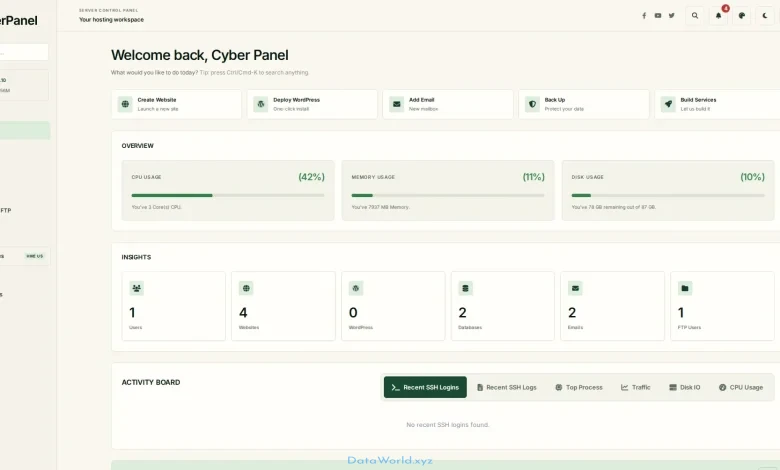
CyberPanel is a next-generation web hosting control panel designed for speed, security, and ease of use, leveraging the power of OpenLiteSpeed and LiteSpeed Enterprise web servers. It provides a comprehensive suite of tools for managing websites, domains, databases, email services, and DNS records through an intuitive graphical interface. Its core capabilities include one-click installers for popular CMS like WordPress, automatic SSL certificate provisioning via Let’s Encrypt, robust firewall integration, and support for a wide range of PHP versions.
The architecture of CyberPanel is built around LiteSpeed’s event-driven server technology, which offers superior performance and resource efficiency compared to traditional Apache-based control panels, leading to faster website loading times and reduced server load. Users benefit from a streamlined workflow for server administration, from initial setup and configuration to daily operations, with advanced security features and real-time monitoring capabilities to ensure optimal server health and website availability.
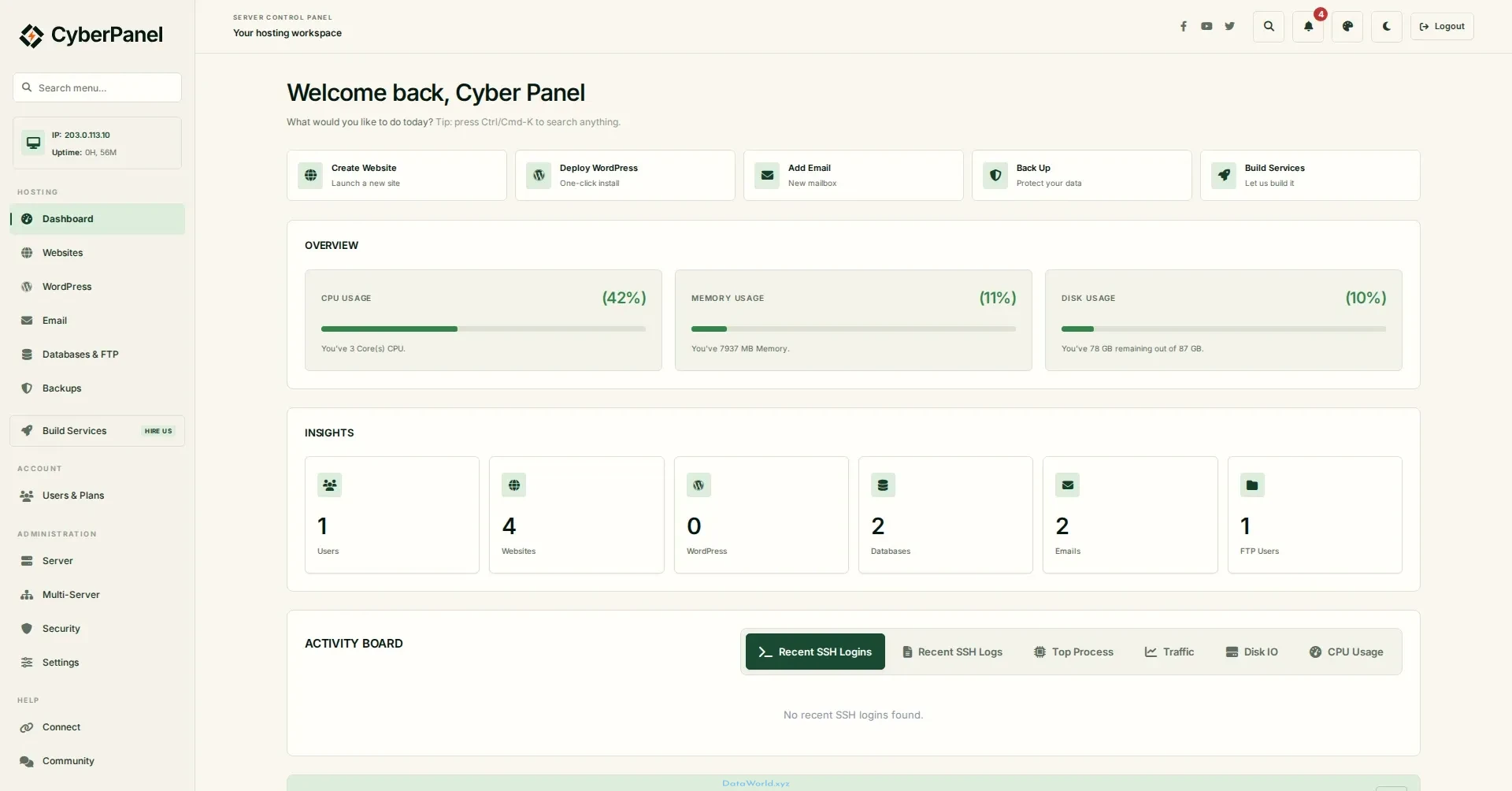
 CyberPanel
📌 Overview & Description
CyberPanel is a next-generation web hosting control panel designed for speed, security, and ease of use, leveraging the power of OpenLiteSpeed and LiteSpeed Enterprise web servers. It provides a comprehensive suite of tools for managing websites, domains, databases, email services, and DNS records through an intuitive graphical interface. Its core capabilities include one-click installers for popular CMS like WordPress, automatic SSL certificate provisioning via Let's Encrypt, robust firewall integration, and support for a wide range of PHP versions.
The architecture of CyberPanel is built around LiteSpeed's event-driven server technology, which offers superior performance and resource efficiency compared to traditional Apache-based control panels, leading to faster website loading times and reduced server load. Users benefit from a streamlined workflow for server administration, from initial setup and configuration to daily operations, with advanced security features and real-time monitoring capabilities to ensure optimal server health and website availability.
⚙️ Software & Mobile App Specifications
💻 System Requirements & RAM / ROM Specifications (Minimum vs Recommended)
| Hardware / Memory Spec | Minimum Requirements | Recommended Requirements |
|---|---|---|
|
Memory (RAM)
|
1 GB RAM (for basic panel operation and OS) | 4 GB RAM (for multiple websites, databases, and email services) |
|
ROM / Storage Space
|
15 GB Free Disk Space (SSD recommended for performance) | 50 GB+ NVMe SSD (for optimal performance, caching, and future growth) |
|
Processor (CPU / SoC)
|
1 core, 1 GHz Processor (e.g., Intel Xeon E3-12xx v2 or AMD Opteron 4xxx) | 2-4 cores, 2 GHz+ Processor (e.g., Intel Xeon E3-12xx v6+ or AMD EPYC 7xxx) |
|
Graphics Card (GPU)
|
Not applicable (Server-side software, basic console display required) | Not applicable (Server-side software, basic console display required) |
📊 Detailed RAM & ROM Requirements Breakdown
- • Base OS and CyberPanel installation typically consume 5-10 GB of disk space.
- • Minimum 1 GB RAM is for the panel and OS; practical usage with even one website often requires 2 GB+.
- • Each hosted website, database, and email account will incrementally increase RAM and storage consumption.
- • LiteSpeed Cache for WordPress and other CMS can optimize RAM usage but requires some storage for cache files.
- • Log files, backups, and user data can rapidly consume available disk space, especially on active servers.
- • Recommended storage includes ample space for system files, multiple websites, databases, email, and potential backups.
- • RAM usage is dynamic, scaling with the number of active processes, website traffic, and configured services.
✅ What is Supported (Formats & Features)
- • OpenLiteSpeed & LiteSpeed Enterprise Web Server integration
- • Multiple PHP versions (5.x, 7.x, 8.x+) with easy switching
- • MySQL/MariaDB database management with phpMyAdmin
- • DNS management via PowerDNS with built-in clustering
- • Email services (Postfix, Dovecot, Rainloop/SnappyMail webmail)
- • FTP server (Pure-FTPd) for file management
- • One-click installers for WordPress, Joomla, Magento, and more
- • Automatic SSL certificates with Let's Encrypt and SSL management
- • Docker Manager for containerized applications
🚀 Best Supported For (Ideal Use Cases)
- • High-performance WordPress hosting environments
- • Small to medium-sized web hosting providers and resellers
- • Developers and agencies managing multiple client websites
- • E-commerce platforms requiring fast page load times (with LiteSpeed Cache)
- • Users seeking a free, powerful, and easy-to-use control panel for VPS/Dedicated servers
- • Environments where server resource efficiency and speed are critical
- • Users comfortable with Linux server administration principles
🌟 Key Features & Advantages