Dell ECS1250
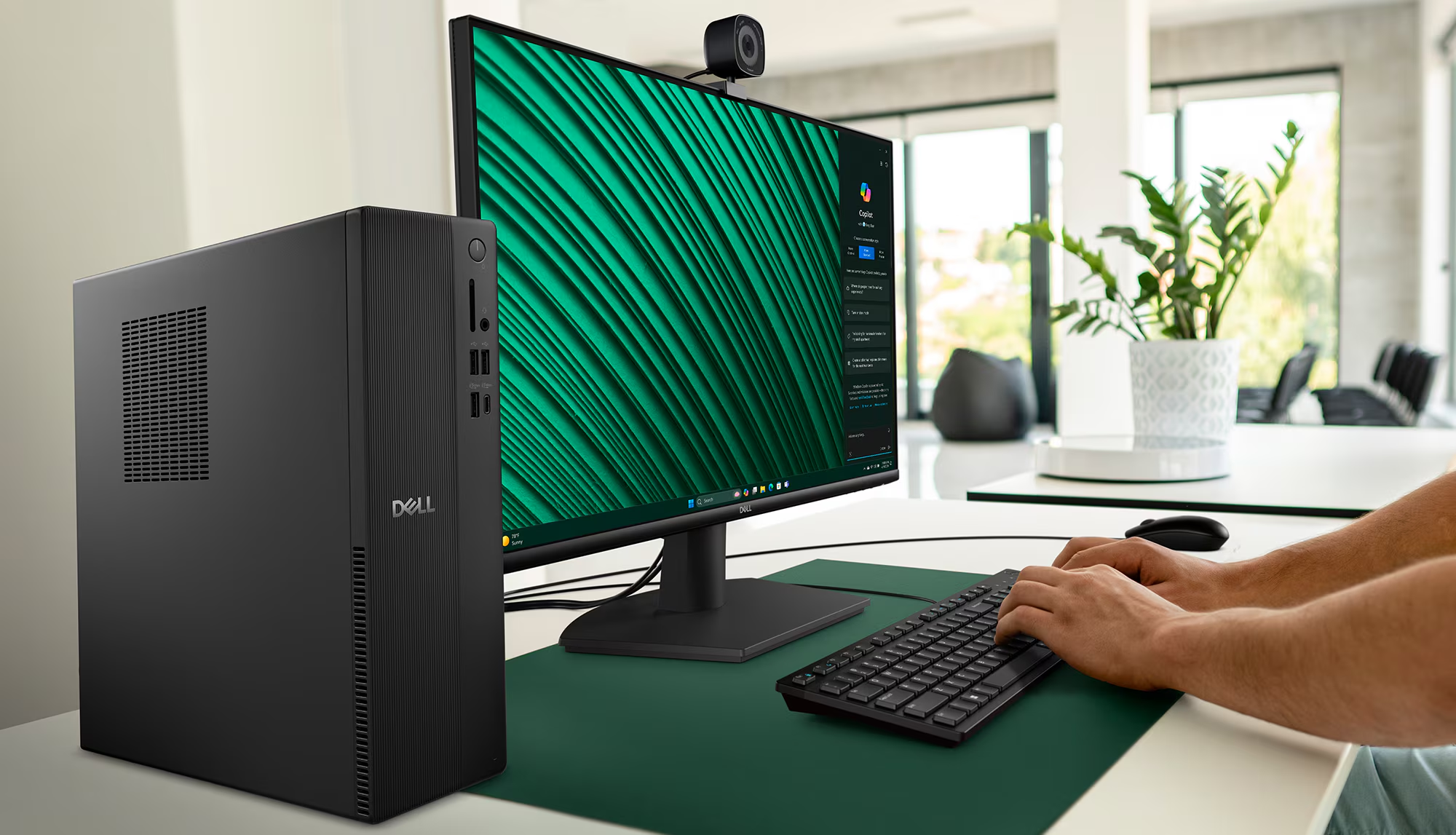
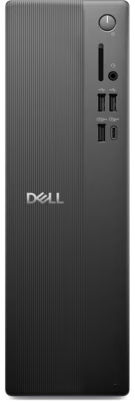
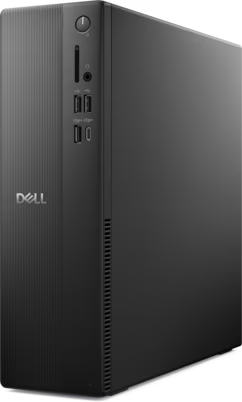
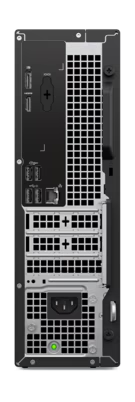
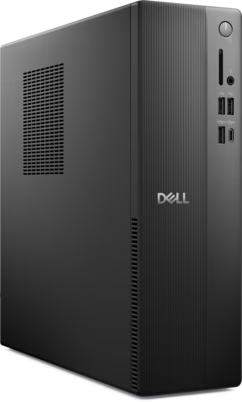
- Released 2023, November
- Compact slim desktop form factor
- Windows Windows 11 Pro
- 512GB SSD, upgradeable
The Dell Slim Desktop ECS1250 is a compact and efficient mini desktop designed for everyday productivity and creative tasks. Featuring Intel Core Ultra processors and Windows 11 Pro, it offers reliable performance in a space-saving design, making it ideal for home and office environments.
|
General & Form Factor
|
Computer Tagline / Form Factor | Mini Desktop |
|---|---|---|
| Brand & Series | Dell Slim Desktop | |
| Model Number / SKU | ECS1250 | |
| Announced | 2023, November | |
| Status | Available. Released 2023, November |
|
Processor (CPU)
|
Processor Model | Intel Core Ultra 5 225 |
|---|---|---|
| Cores & Threads , 24 Threads) | 10 Cores, 10 Threads | |
| Base & Boost Clock | 2.7 GHz up to 4.9 GHz | |
| Cache & Architecture | 20 MB cache | |
| TDP / Power Rating | 65W | |
| NPU / AI Accelerator | Intel AI Boost |
|
Graphics (GPU)
|
Dedicated Graphics | None / Integrated |
|---|---|---|
| Integrated Graphics | Intel UHD Graphics | |
| VRAM & Bus Width | Shared System Memory | |
| Ray Tracing, DLSS 4 / FSR & Tensor/CUDA Cores | DirectX 12, OpenGL 4.6 |
|
Memory (RAM)
|
Installed Memory | 16GB |
|---|---|---|
| Memory Type & Speed | DDR5-5600 MT/s | |
| Memory Slots & Max Capacity | 1x DIMM slot (configurable up to 2 slots), up to 64GB |
|
Storage & Expansion
|
Primary Storage | 512 GB SSD Gen4x4 QLC |
|---|---|---|
| M.2 Slots & Drive Bays | 1x M.2 2280 slot for SSD, 1x 3.5-inch SATA bay (optional) |
|
Display (Laptop / AIO)
|
Screen Size & Ratio | N/A - Monitor Sold Separately |
|---|---|---|
| Panel Type & Resolution | External Monitor Required |
|
Motherboard & Chassis
|
Chipset & Form Factor | Intel H610 (estimated) Slim Desktop |
|---|---|---|
| PCIe Expansion Slots | 1x PCIe x16 (low-profile), 1x PCIe x1 (low-profile) | |
| Thermal & Cooling System | Standard Air Cooling | |
| Dimensions & Weight | Not explicitly stated, described as 'Slim Desktop' |
|
Ports & Networking
|
USB & Thunderbolt Ports , 4x USB 3.2 Gen2 Type-A, SD Express) | 2x USB 2.0 (Front), 1x USB 3.2 Gen 1 (Front), 1x USB 3.2 Gen 1 Type-C (Front), 2x USB 2.0 (Rear), 2x USB 3.2 Gen 1 (Rear) |
|---|---|---|
| Display Outputs | 1x DisplayPort 1.4 (HBR3), 1x HDMI 2.1 (TDMS) | |
| Ethernet / Server LAN | 1x RJ45 Ethernet port, 1GbE | |
| Wi-Fi & Bluetooth Tri-Band, Bluetooth 5.4) | Wi-Fi 6 (802.11ax), Bluetooth 5.2 (estimated) |
|
Power / Battery
|
PSU Wattage / Battery | 260W 80+ Bronze PSU (estimated) |
|---|---|---|
| Power Adapter / Efficiency | Internal Power Supply |
|
OS, Security & Price
|
Operating System | Windows 11 Pro |
|---|---|---|
| Security & Remote Management | TPM 2.0, Kensington lock slot | |
| Color / Chassis Finish | Black | |
| Warranty & Support | 12 months Basic Hardware Service with Onsite Support After Remote Diagnosis | |
| Price / BDT 315,000) | $979.99 (Official) |
Disclaimer. We can not guarantee that the information on this page is 100% correct.
Dell Slim Desktop ECS1250 — Detailed Product Description & Guide
What's in the Box?
Product Overview & Positioning
The Dell Slim Desktop ECS1250 is engineered to deliver reliable performance in a remarkably compact form factor, making it an excellent choice for users seeking a powerful yet unobtrusive computing solution. Positioned as a versatile machine for both productivity and light creative work, it integrates Intel's latest Core Ultra processors, ensuring efficient operation and responsiveness. Its design philosophy centers on maximizing utility within minimal space, appealing to users with limited desk real estate or those who prefer a discreet desktop presence without compromising on essential computing capabilities.
Design, Build Quality & Display
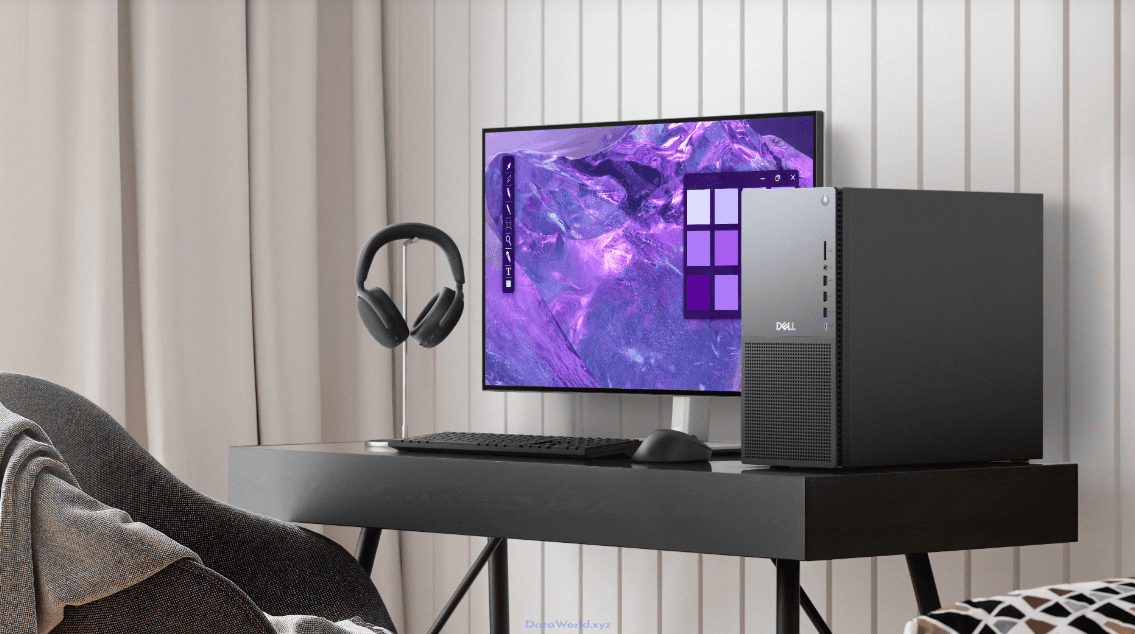
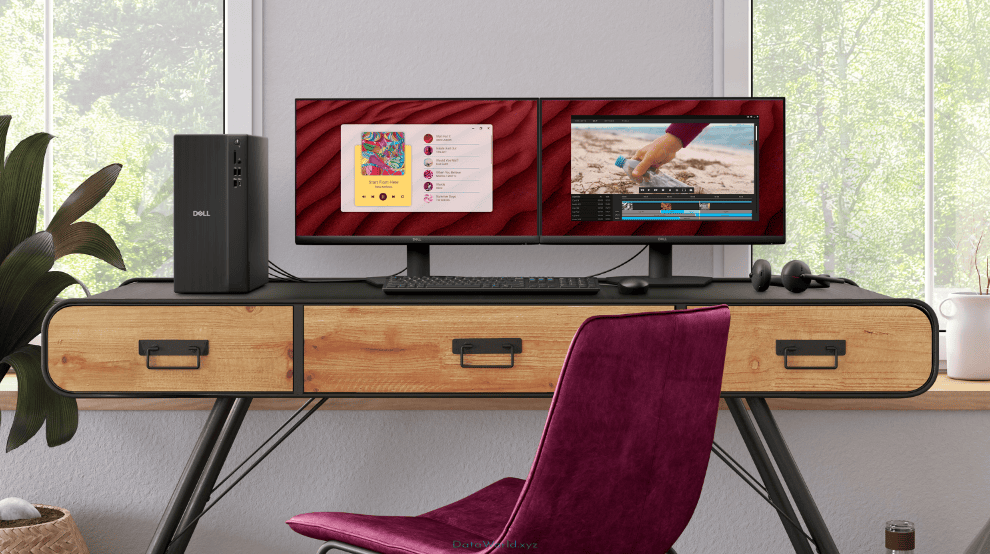
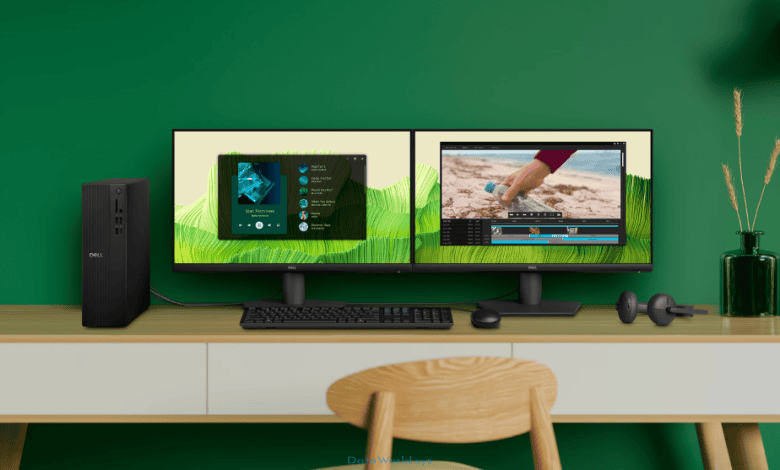
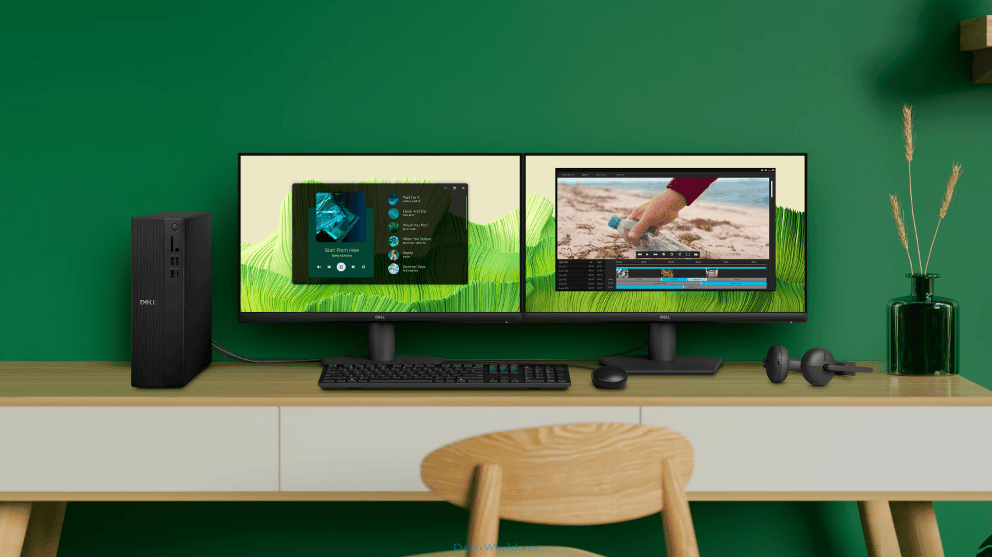
The Dell Slim Desktop ECS1250 boasts a sleek, minimalist black chassis that blends seamlessly into any modern workspace. Its 'slim' designation highlights its reduced footprint, allowing for flexible placement options, whether vertically or horizontally. While specific dimensions and weight are not provided, the design prioritizes compactness. As a desktop computer, it does not include an integrated display; users are expected to connect their own monitors via the available HDMI 2.1 and DisplayPort 1.4 outputs, supporting high-resolution and multi-monitor setups for enhanced productivity.
Performance, Chipset, Gaming & AI
At the heart of the Dell Slim Desktop ECS1250 is the Intel Core Ultra 5 225 processor, featuring 10 cores and capable of clock speeds up to 4.9 GHz, providing ample power for daily tasks, office applications, web browsing, and content consumption. The inclusion of 16GB of DDR5 memory running at up to 5600 MT/s ensures smooth multitasking and efficient data handling. Storage is handled by a fast 512GB PCIe Gen4x4 QLC SSD, significantly reducing boot times and application load speeds. While equipped with integrated Intel UHD Graphics, the system is not designed for demanding gaming or professional graphics-intensive tasks, but it capably handles casual gaming and multimedia. The Windows 11 Pro operating system offers a refined user experience with enhanced security and productivity features.
Camera System, Photography & Video
As a desktop computer, the Dell Slim Desktop ECS1250 does not include integrated cameras. Users can connect external webcams via the available USB ports for video conferencing and other communication needs. The system is designed to be a robust computing core, with peripherals like cameras, microphones, and speakers being user-selectable to best fit individual requirements.
Battery Endurance, Charging & Connectivity
The Dell Slim Desktop ECS1250 is a wired desktop system and does not feature a battery; it relies on a constant power supply from an internal PSU (estimated at 260W). Connectivity options are comprehensive, including multiple USB 2.0 and USB 3.2 Gen 1 ports (including a Type-C port on the front) for connecting a wide array of peripherals. Network connectivity is robust with a 1GbE RJ45 Ethernet port for stable wired internet, complemented by Wi-Fi 6 and Bluetooth 5.2 for wireless networking and accessory pairing. Audio is handled via a global headset jack on the front, supporting standard audio output and microphone input.
Buying Guide & Final Verdict
The Dell Slim Desktop ECS1250 is an excellent choice for individuals and small businesses seeking a reliable, space-saving desktop for everyday computing. Its Intel Core Ultra processor and DDR5 memory provide a solid foundation for productivity, while the NVMe SSD ensures a snappy user experience. The inclusion of Windows 11 Pro makes it suitable for professional environments requiring advanced security and management features. While not geared for high-end gaming or intensive creative work, its value proposition lies in its efficient performance, compact design, and comprehensive connectivity for its price point. It stands as a strong contender against other mini PCs and entry-level desktops, offering Dell's renowned build quality and support.
Frequently Asked Questions (FAQ) — Dell Slim Desktop ECS1250
Yes, the Dell Slim Desktop supports storage upgrades, typically via an additional M.2 SSD or a 3.5-inch SATA drive bay.
Dell Slim Desktop ECS1250 — Complete Overview, Features & FAQ
The Dell Slim Desktop ECS1250 is a compact and efficient mini desktop designed for everyday productivity and creative tasks. Featuring Intel Core Ultra processors and Windows 11 Pro, it offers reliable performance in a space-saving design, making it ideal for home and office environments.
In-Box Accessories
Product Overview & Positioning
The Dell Slim Desktop ECS1250 is engineered to deliver reliable performance in a remarkably compact form factor, making it an excellent choice for users seeking a powerful yet unobtrusive computing solution. Positioned as a versatile machine for both productivity and light creative work, it integrates Intel's latest Core Ultra processors, ensuring efficient operation and responsiveness. Its design philosophy centers on maximizing utility within minimal space, appealing to users with limited desk real estate or those who prefer a discreet desktop presence without compromising on essential computing capabilities.
Design, Build Quality & Display
The Dell Slim Desktop ECS1250 boasts a sleek, minimalist black chassis that blends seamlessly into any modern workspace. Its 'slim' designation highlights its reduced footprint, allowing for flexible placement options, whether vertically or horizontally. While specific dimensions and weight are not provided, the design prioritizes compactness. As a desktop computer, it does not include an integrated display; users are expected to connect their own monitors via the available HDMI 2.1 and DisplayPort 1.4 outputs, supporting high-resolution and multi-monitor setups for enhanced productivity.
Performance, Chipset, Gaming & AI
At the heart of the Dell Slim Desktop ECS1250 is the Intel Core Ultra 5 225 processor, featuring 10 cores and capable of clock speeds up to 4.9 GHz, providing ample power for daily tasks, office applications, web browsing, and content consumption. The inclusion of 16GB of DDR5 memory running at up to 5600 MT/s ensures smooth multitasking and efficient data handling. Storage is handled by a fast 512GB PCIe Gen4x4 QLC SSD, significantly reducing boot times and application load speeds. While equipped with integrated Intel UHD Graphics, the system is not designed for demanding gaming or professional graphics-intensive tasks, but it capably handles casual gaming and multimedia. The Windows 11 Pro operating system offers a refined user experience with enhanced security and productivity features.
Camera System, Photography & Video
As a desktop computer, the Dell Slim Desktop ECS1250 does not include integrated cameras. Users can connect external webcams via the available USB ports for video conferencing and other communication needs. The system is designed to be a robust computing core, with peripherals like cameras, microphones, and speakers being user-selectable to best fit individual requirements.
Battery Endurance, Charging & Connectivity
The Dell Slim Desktop ECS1250 is a wired desktop system and does not feature a battery; it relies on a constant power supply from an internal PSU (estimated at 260W). Connectivity options are comprehensive, including multiple USB 2.0 and USB 3.2 Gen 1 ports (including a Type-C port on the front) for connecting a wide array of peripherals. Network connectivity is robust with a 1GbE RJ45 Ethernet port for stable wired internet, complemented by Wi-Fi 6 and Bluetooth 5.2 for wireless networking and accessory pairing. Audio is handled via a global headset jack on the front, supporting standard audio output and microphone input.
Buying Guide & Final Verdict
The Dell Slim Desktop ECS1250 is an excellent choice for individuals and small businesses seeking a reliable, space-saving desktop for everyday computing. Its Intel Core Ultra processor and DDR5 memory provide a solid foundation for productivity, while the NVMe SSD ensures a snappy user experience. The inclusion of Windows 11 Pro makes it suitable for professional environments requiring advanced security and management features. While not geared for high-end gaming or intensive creative work, its value proposition lies in its efficient performance, compact design, and comprehensive connectivity for its price point. It stands as a strong contender against other mini PCs and entry-level desktops, offering Dell's renowned build quality and support.
Frequently Asked Questions (FAQ)
Yes, the Dell Slim Desktop supports storage upgrades, typically via an additional M.2 SSD or a 3.5-inch SATA drive bay.
Dell Slim Desktop ECS1250 - Expert Review
The Dell Slim Desktop ECS1250 offers a compelling blend of compact design, modern performance, and essential features for everyday productivity and home use.
Pros (Advantages)
- Space-saving and sleek design
- Efficient Intel Core Ultra 5 processor
- Fast DDR5 memory and NVMe SSD storage
- Windows 11 Pro for enhanced security and features
- Good selection of front and rear USB ports, including Type-C
- Dual display output with HDMI and DisplayPort
Cons (Limitations)
- Integrated graphics not suitable for demanding gaming or professional creative work
- Limited internal expansion options compared to full-sized desktops
- Monitor and other peripherals sold separately
- Only one DIMM slot populated in some configurations, limiting immediate dual-channel benefits
Design & Display
The Dell Slim Desktop ECS1250 embodies a minimalist and functional design, characterized by its compact black chassis. Its 'slim' profile is a significant advantage for users with limited desk space, allowing for versatile placement. While specific dimensions are not provided, the aesthetic is clean and professional, suitable for both home and office environments. As a desktop computer, it does not feature an integrated display. Users connect their preferred monitors via the included HDMI 2.1 and DisplayPort 1.4 outputs, which support high resolutions and multi-monitor setups, catering to productivity needs.
Performance & Software
Under the hood, the Dell Slim Desktop ECS1250 is powered by the Intel Core Ultra 5 225 processor, a capable CPU with 10 cores and a boost clock of up to 4.9 GHz. This ensures smooth performance for a wide range of applications, from daily office tasks and web browsing to multimedia consumption and light content creation. The system is equipped with 16GB of DDR5 RAM, operating at up to 5600 MT/s, providing excellent multitasking capabilities. Storage is handled by a responsive 512GB PCIe Gen4x4 QLC SSD, which dramatically reduces boot times and application loading. The pre-installed Windows 11 Pro operating system offers a secure and feature-rich environment, ideal for both personal and business use, with Dell's additional software and management tools enhancing the overall user experience.
Camera Quality
As a desktop computer, the Dell Slim Desktop ECS1250 does not come with integrated cameras. This is standard for this form factor, as users typically prefer to select external webcams that best suit their specific needs for video conferencing, streaming, or other applications. The ample USB connectivity, including front-facing ports, makes it easy to connect and utilize a wide variety of external camera solutions.
Battery & Value Verdict
Being a desktop PC, the Dell Slim Desktop ECS1250 operates solely on AC power and does not contain a battery. It is powered by an internal power supply unit, estimated to be around 260W. Connectivity is a strong suit, with a generous array of USB ports (including USB 3.2 Gen 1 Type-C on the front), a Gigabit Ethernet port for reliable wired networking, and integrated Wi-Fi 6 and Bluetooth 5.2 for wireless convenience. The Dell Slim Desktop ECS1250 represents excellent value for money for users prioritizing a compact design and solid everyday performance. It's an ideal choice for students, home office users, and small businesses looking for a dependable and efficient computing solution without the bulk of a traditional tower. While not designed for high-end gaming or intensive graphical workloads, its core specifications and Windows 11 Pro make it a highly capable and cost-effective machine for its intended audience.
Dell Slim Desktop ECS1250 - Pricing & Variants
| Memory Variant | Store / Status | Price | Action |
|---|---|---|---|
| 16GB DDR5 / 512GB SSD | Official | $979.99 | Check Price ➔ |
| 16GB DDR5 / 1TB SSD | Official | $1,349.99 | Check Price ➔ |
| 8GB DDR5 / 512GB SSD | Official | $1,129.99 | Check Price ➔ |
Dell Slim Desktop ECS1250 - Official Pictures & Gallery
Dell Slim Desktop ECS1250 - User Opinions and Reviews (0)
No user opinions have been submitted yet. Be the first to share your thoughts! (Click the "Post your opinion" button above)
Dell ECS1250 — Key Insights & Complete Overview
Furthermore, if you are looking for reliable and comprehensive information about Dell ECS1250, this in-depth guide covers every essential aspect you need to know. Therefore, we have outlined practical strategies, best practices, and expert insights regarding Dell ECS1250 so you can achieve optimal results quickly. Finally, follow the key steps and recommendations below to master this topic with confidence.
RELATED DESKTOP COMPUTERS