Ladybird
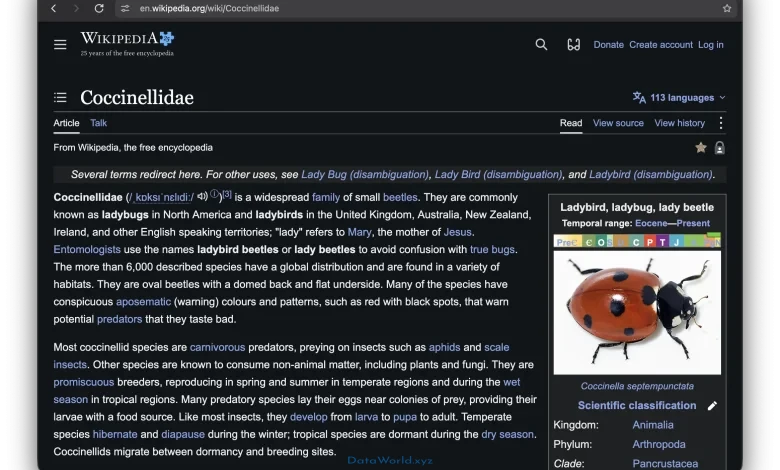
Ladybird is an ambitious open-source project aiming to build a new web browser from scratch, along with a comprehensive suite of web development tools. Unlike most modern browsers that are based on existing engines like Chromium or Firefox’s Gecko, Ladybird is being developed using its own rendering engine, LibWeb, and JavaScript engine, LibJS, both part of the SerenityOS project’s core libraries. This unique approach allows for a fresh perspective on web standards implementation and performance optimization, free from the legacy constraints of older engines.
The project emphasizes a clean, modern codebase and aims to provide a fast, secure, and standards-compliant browsing experience. It is designed to be highly hackable and extensible, making it an ideal platform for web developers and enthusiasts interested in the underlying technologies of the web. Ladybird also integrates powerful debugging and inspection capabilities, positioning itself as a robust tool for both general browsing and advanced web development tasks.
 Ladybird Browser
📌 Overview & Description
Ladybird is an ambitious open-source project aiming to build a new web browser from scratch, along with a comprehensive suite of web development tools. Unlike most modern browsers that are based on existing engines like Chromium or Firefox's Gecko, Ladybird is being developed using its own rendering engine, LibWeb, and JavaScript engine, LibJS, both part of the SerenityOS project's core libraries. This unique approach allows for a fresh perspective on web standards implementation and performance optimization, free from the legacy constraints of older engines.
The project emphasizes a clean, modern codebase and aims to provide a fast, secure, and standards-compliant browsing experience. It is designed to be highly hackable and extensible, making it an ideal platform for web developers and enthusiasts interested in the underlying technologies of the web. Ladybird also integrates powerful debugging and inspection capabilities, positioning itself as a robust tool for both general browsing and advanced web development tasks.
⚙️ Software & Mobile App Specifications
💻 System Requirements & RAM / ROM Specifications (Minimum vs Recommended)
| Hardware / Memory Spec | Minimum Requirements | Recommended Requirements |
|---|---|---|
|
Memory (RAM)
|
2 GB RAM | 8 GB RAM |
|
ROM / Storage Space
|
500 MB free disk space (for application files and basic cache) | 2 GB free SSD space (for application, extensive cache, and development assets) |
|
Processor (CPU / SoC)
|
Dual-core processor (e.g., Intel Core i3 4th Gen or AMD FX-series equivalent, or ARMv8 equivalent) | Quad-core processor (e.g., Intel Core i5 8th Gen or AMD Ryzen 5 2000-series equivalent, or modern ARM SoC) |
|
Graphics Card (GPU)
|
Integrated Graphics (Intel HD Graphics 4000 or equivalent), 1280x720 display | Integrated Graphics (Intel Iris Xe or AMD Radeon Graphics equivalent), 1920x1080 display |
📊 Detailed RAM & ROM Requirements Breakdown
- Minimum RAM usage for basic browsing: ~500 MB - 1 GB.
- Recommended RAM for multiple tabs and developer tools: 2 GB+.
- Application footprint on disk: ~100-300 MB for core files.
- Browser cache and user data: Dynamically grows, typically 100 MB to several GBs.
- Memory optimization is an ongoing development focus for efficiency.
- Utilizes system memory for tab isolation and process management.
- Storage requirements increase with cached web content and downloaded files.
✅ What is Supported (Formats & Features)
- HTML5, CSS3, and modern JavaScript (ES202X) standards.
- Basic Web APIs (e.g., DOM manipulation, XMLHttpRequest).
- Developer Tools (Inspector, Console, Network Monitor - under active development).
- HTTP/HTTPS protocols.
- PNG, JPEG, GIF, SVG image formats.
- Basic web fonts.
- No current support for extensive browser extensions/plugins (as of Nov 2026, still in development).
🚀 Best Supported For (Ideal Use Cases)
- Web developers and enthusiasts interested in browser engine development.
- Users seeking an alternative, open-source browsing experience.
- Testing web standards compliance from a fresh engine perspective.
- Learning about browser architecture and implementation.
- Contribution to an open-source project.
- Light to moderate web browsing.
- Environments where a lightweight browser is preferred.
🌟 Key Features & Advantages