Data
Zorin OS 18.1 Released: What’s New, Lite Edition & Windows App Support
Zorin OS 18.1: Everything New in the Latest Update — Faster, Smarter, and More Compatible
Following the massive success of Zorin OS 18—which surpassed over 3.3 million downloads in just six months—the Zorin Group has officially launched Zorin OS 18.1. Designed specifically to bridge the gap for users migrating from Windows while offering a refined experience for veteran Linux enthusiasts, this point release brings significant desktop improvements, expanded hardware support, and the much-anticipated return of the Lite Edition.
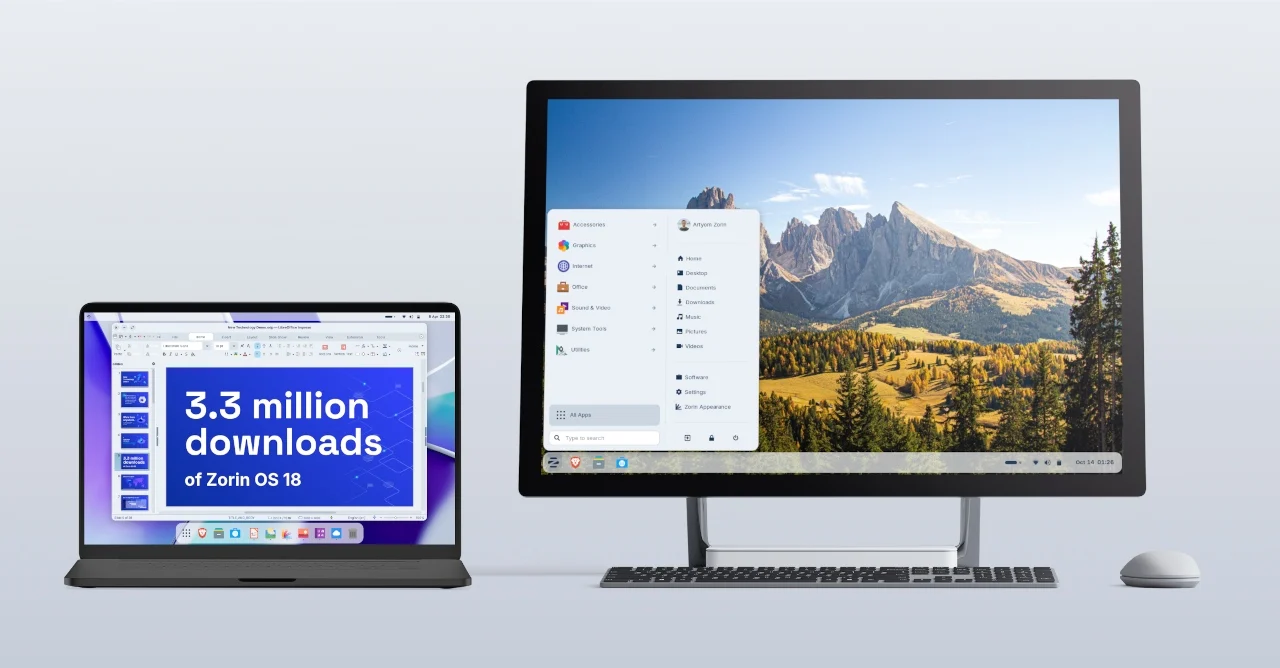
As shown in the official release showcase above, Zorin OS 18.1 is engineered to work seamlessly across both modern high-resolution workstations and older portable laptops. Here is a complete breakdown of everything new inside Zorin OS 18.1.
1. Smarter Windows App Support & Migration Assistant
One of Zorin OS’s standout strengths is how effortlessly it helps Windows users transition to Linux. In version 18.1, the built-in Windows App Support database has been expanded to recognize more than 240 popular Windows application installers.
When you attempt to run a
.exe or .msi installer for a Windows-exclusive program, Zorin OS 18.1 intelligently detects the software and recommends the best native Linux version, a Progressive Web App (PWA) alternative, or a direct open-source replacement (such as suggesting the pre-installed Evolution email client when you try to install Microsoft Outlook). For applications and games that require Windows binaries, compatibility is faster and more reliable thanks to Wine 10 under the hood.2. Enhanced Window Tiling and Desktop Refinements
Zorin OS 18 introduced an intuitive tiling window manager, and version 18.1 makes multitasking on wide and multi-monitor setups even more flexible.
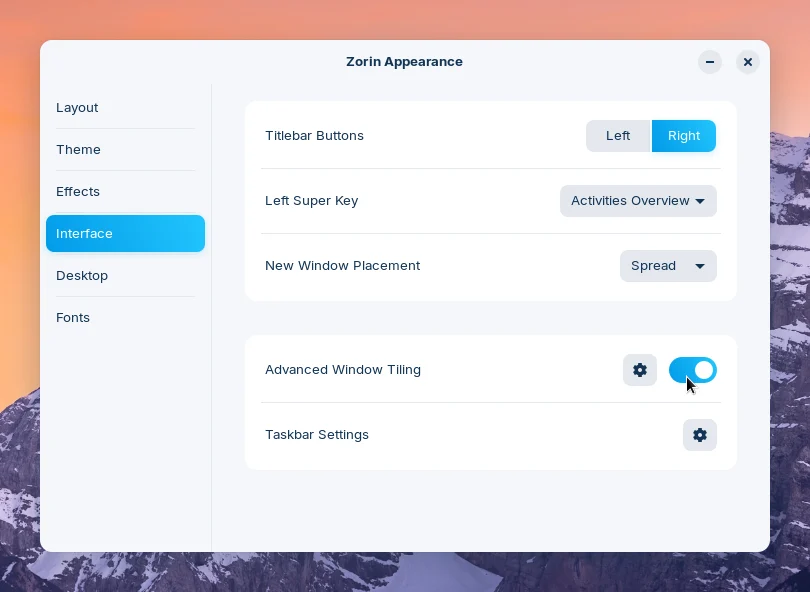
Through the Interface tab inside the Zorin Appearance utility (pictured above), users can toggle Advanced Window Tiling and click the gear icon to customize their workflow. Key desktop enhancements in 18.1 include:
- Custom Edge Snapping: Instead of restricting edge tiling to basic half- or quarter-screen splits, dragging a window to the screen edge now lets you snap it directly into your active custom tiling layout.
- Layout Reordering: You can now easily reorder your tiling layouts inside the Edit Layouts dialog in the Advanced Window Tiling settings.
- Right-to-Left (RTL) Panel Support: For systems configured in right-to-left languages (such as Arabic or Hebrew), the taskbar, start menu, and system tray indicators now automatically mirror from right to left for a natural layout.
3. The Debut of Zorin OS 18.1 Lite (Powered by Xfce 4.20)
Alongside the Core and Pro editions, Zorin OS 18.1 officially introduces the Lite Edition for the 18.x series, breathing new life into older PCs and low-spec hardware.
Zorin OS 18.1: What’s New?
The highly anticipated **Zorin OS 18.1** has officially landed, bringing a host of significant improvements and new **Zorin OS features** for users. This latest iteration enhances stability and performance, making your **Linux desktop** experience smoother than ever. Furthermore, the updated **Lite Edition** offers incredible efficiency for older hardware, ensuring accessibility for all. Additionally, users will appreciate improved **Windows app compatibility**, bridging the gap between operating systems. Consequently, this release solidifies Zorin OS as a leading, user-friendly **Linux distribution**, perfect for both newcomers and seasoned enthusiasts seeking a powerful yet intuitive environment.
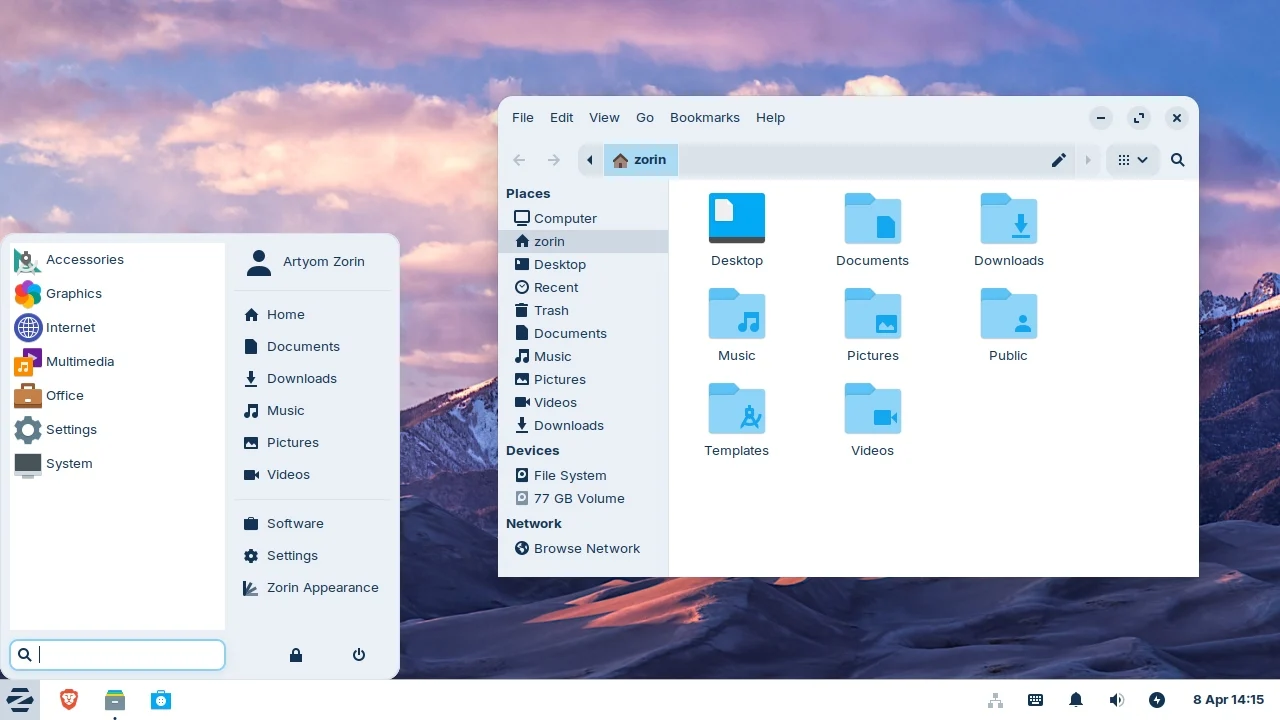
As seen in the Zorin OS 18.1 Lite interface above, the lightweight edition shares the same modern visual polish as the flagship release—complete with rounded window corners, a floating-style aesthetic, and new Yellow and Brown accent themes. Major upgrades in the Lite edition include:
- Xfce 4.20 Desktop Environment: Delivers snappier performance, lower memory usage, and improved display scaling.
- Streamlined File Manager: The default file manager has been redesigned with a cleaner, more compact toolbar and sidebar, making navigation much easier on smaller laptop screens.
- Biometric Authentication: Full support for fingerprint readers is now built directly into the Settings app under the new Fingerprints section.
- Web Apps Integration: Just like the Core edition, Lite users can turn any website or cloud service (like Office 365 or Google Docs) into a standalone desktop app accessible from the start menu.
4. Linux Kernel 6.17 & Next-Gen Hardware Support
Under the hood, Zorin OS 18.1 upgrades to Linux Kernel 6.17 (paired with an updated graphics stack from Ubuntu 25.10). This brings out-of-the-box support for newer devices and components, including:
- Graphics Cards: Native support for Intel Xe3 integrated graphics, updated NVIDIA drivers, and better power management for AMD hybrid laptop GPUs.
- Laptops & Peripherals: Enhanced hardware compatibility for modern Lenovo ThinkPad and Samsung Galaxy Book laptops, Apple Magic Mouse 2 (USB-C), PlayStation 5 controllers, and handheld gaming PCs like the ASUS ROG Ally.
5. Pre-Installed LibreOffice 26.2 & Long-Term Stability
To ensure users have the latest productivity tools right after installation, Zorin OS 18.1 ships with LibreOffice 26.2, offering improved compatibility with Microsoft Office 365 documents. Native support for Flatpak, AppImage, and Snap packages is also integrated directly into the Software store.
Best of all, Zorin OS 18.1 is backed by long-term security patches and software updates until June 2029. Existing Zorin OS 18 users can upgrade immediately through the built-in Software Updater, while Zorin OS 17 users can perform an in-place upgrade without losing their personal files or settings.